
Before students build harder robots, they should understand a few electronics ideas that make robot behavior make sense: power, complete circuits, polarity, current control, simple inputs and outputs, and the idea that sensors provide information the controller can act on. If those ideas are skipped, robotics often turns into memorizing code and rewiring blindly.
Last updated: July 4, 2026.
That is why the strongest beginner robotics sequence usually starts with circuits and signals, not with a fully loaded robot challenge. Carnegie Mellon Robotics Academy's SMART Robotics Technician KSA puts electrical foundations, multimeter use, inputs and outputs, binary sensors such as limit switches, and analog sensors ahead of more integrated robotics work. TeachEngineering makes the same structure easier to teach by defining robots around sensors, inputs, processing, and outputs. In other words, students should learn what the robot is made of and what its signals mean before they are expected to explain behavior.
The first electronics concepts to teach before robotics
| Concept | Why it matters in robotics | Simple classroom example |
|---|---|---|
| Power and complete circuits | Robots only work when every subsystem has a real path for current and a suitable power source | Battery, wires, resistor, and LED on a breadboard |
| Polarity and current limiting | Directional parts and outputs can fail or stay dark when wired backward or without current control | LED with and without the correct orientation and resistor |
| Inputs and outputs | Students need to know the difference between information coming in and actions going out | Push button turns an LED on |
| Digital versus analog sensing | Robots read some signals as two states and others as changing values | Touch sensor versus light or distance sensor |
| Processing and decision rules | The robot does not “know”; it follows rules based on the signals it receives | If the button is pressed, stop the motor |
| Troubleshooting and measurement | Students need a method for testing what failed instead of randomly rebuilding | Check voltage, check path, check polarity, retest |
Start with power, path, and visible output
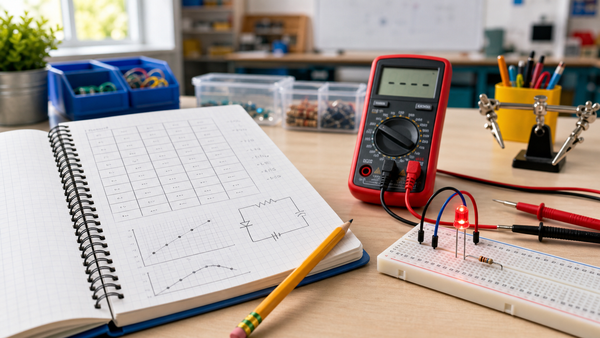
The first lesson does not need wheels or code. It should prove that students understand how a circuit becomes active. A low-voltage battery, resistor, LED, and switch already teach the right opening questions:
- Where does the energy come from?
- Is the path complete?
- Does direction matter for this part?
- What changed when the switch opened or closed?
This is why the published Mr Circuit article Circuits Students Should Understand Before Robotics remains such a strong internal starting point. If students cannot explain why the LED lights or stays dark, they are not ready for a more confusing robot failure.
Teach voltage, current, and resistance as robot ideas, not just circuit vocabulary
Beginner robotics often breaks down because these words get taught once and then disappear. They should stay visible. A sensor needs a usable signal. A controller needs reliable power. An output needs enough current to work without damaging the circuit. Those are not separate “electronics class” ideas. They are robot ideas.
The articles What Is Voltage?, What Is Current in a Circuit?, and What Is Resistance? work well as pre-reading or quick reinforcement because they give students language for what the robot electronics are actually doing.
Introduce inputs and outputs before full robot behavior
One of the best beginner jumps is from a simple circuit to a simple system. Instead of saying “this is a robot input” as abstract vocabulary, show it. A button, touch sensor, or switch changes a signal. The controller reads that signal. The system turns on an LED, buzzer, or motor. That is enough to introduce automation without overwhelming beginners.
TeachEngineering's robot lesson frames robots around sensors, inputs, processing, and outputs. Mr Circuit's Input, Process, Output article is the natural classroom bridge because it strips the mystery out of what the robot is doing.
Show the difference between digital and analog signals
REV Robotics' sensor documentation is especially useful here because it separates digital sensors from analog ones. A digital sensor has two states. Pressed or not pressed. On or off. A touch sensor is the clearest example. An analog sensor instead provides a range of values, which is why light, distance, and position sensing can drive more nuanced behavior.
Students do not need the most advanced sensor first. They need one binary example and one variable example:
- Digital: a touch sensor acts like a button the robot can read.
- Analog: a light or distance sensor reports changing conditions.
That prepares them for readings that can later control speed, turning, or thresholds.
Teach one robot rule before teaching a larger robot program
WPILib's beginner documentation reinforces that robots are made of real electrical and control components, not just code blocks. The easiest way to honor that in class is to teach one decision rule at a time:
- If the switch is pressed, stop.
- If the light level is low, turn the LED on.
- If the measured distance is too small, reverse.
Students can narrate these rules. That matters. Once they can say the rule out loud, they are much less likely to treat robot behavior as magic.
Use motors after the signal logic makes sense
Motors are exciting, but they add more failure points than LEDs or buzzers. They draw more power, need proper driver hardware, and create motion that can distract from the actual concept. That is why a visible LED output or simple buzzer output usually teaches better before a full drive base. Then, when you do introduce motor systems, students already understand the difference between input, decision, and output.
The internal article Motors, Sensors, and Power is the right next step after this one because it shows how those parts combine into a real robot system.
A classroom sequence that works
- Build one simple powered circuit with an LED.
- Add a switch so students can control when the output changes.
- Explain that the switch is now acting as an input.
- Replace or extend the switch example with one real sensor.
- Write one if-then rule for the controller to follow.
- Only after that, connect the same logic to a motor or moving robot.
This sequence reduces confusion because every new idea stays attached to something students can already see and explain.
Common beginner mistakes
- Starting with a robot challenge before students can explain a complete circuit.
- Treating sensor names as vocabulary words instead of signals with meaning.
- Introducing motors before students understand simpler outputs.
- Skipping measurement and troubleshooting.
- Separating “electronics” from “robotics” as if they were different subjects.
Most of these issues disappear when the teacher keeps asking: where is the power, what is the input, what rule is being applied, and what output should happen next?
Where Mr Circuit fits naturally
For teachers planning a broader sequence, the best internal planning page is For Schools and Educators. If you want a soft product example, a beginner electronics or digital logic kit is the best fit because those products reinforce input, output, and cause-and-effect without making the lesson too commercial.
FAQ
What should students learn before beginner robotics?
They should understand power, complete circuits, polarity, current control, simple inputs and outputs, and how sensors provide signals a controller can use.
Do students need coding first?
No. They need signal logic first. Coding makes more sense after students can explain a simple input-output rule in plain language.
Why start with LEDs and switches instead of motors?
Because LEDs and switches make the signal flow visible with fewer failure points, which makes the first lessons easier to debug and explain.
What is the easiest sensor to teach first?
A touch sensor or button is usually the easiest because it has only two states and maps cleanly to an if-then rule.
How do I know students are ready for a fuller robot build?
They are ready when they can trace power, identify the input and output, predict the result, and troubleshoot a simple failure without guessing randomly.