
Drone electronics for students comes down to three systems working together: motors create thrust, sensors report what the aircraft is doing, and the power system feeds the whole loop safely. When teachers explain those three pieces clearly, beginner drone lessons stop feeling mysterious and start connecting to the same circuits, measurements, and troubleshooting students already use in STEM class.
Last updated: June 13, 2026.
Why this topic matters in class
Drones look advanced from the outside, but the classroom value is that they turn familiar electronics ideas into something students can see immediately. A beginner drone is still a low-voltage system with inputs, outputs, power limits, and feedback. That makes it a strong bridge between circuit lessons and robotics lessons.
NASA's Sensor Solutions activity is useful here because it frames drone sensors as a student design problem, not just a list of parts. NASA Aeronautics STEM also emphasizes that aeronautics activities work across at-home, informal, and formal learning environments, which makes drones a good topic for both classroom and club settings.
The three electronics systems students should understand first
| System | What it does | Student-friendly explanation |
|---|---|---|
| Motors | Spin propellers to create lift and control motion | The motors are the drone's muscles. |
| Sensors | Detect motion, height, orientation, or nearby objects | The sensors are the drone's eyes and balance organs. |
| Power system | Stores and delivers energy to the motors and control electronics | The battery and wiring are the drone's fuel path. |
When students know those three systems, the rest of the drone conversation becomes easier. Instead of memorizing parts, they can ask better questions: What information is the drone reading? What output is it changing? Is there enough power to do that safely?
Motors: where motion starts
A drone does not move because it has one big motor. It moves because multiple motors change speed together. That is a strong classroom example of control instead of brute force. Students can compare this idea to other projects where one output changes the behavior of a whole system, such as a light turning on, a buzzer sounding, or a transistor switching current.
NASA's electrified aircraft outreach explains that electric motors and generators are central to modern flight systems, including smaller aircraft and drones. For beginners, the useful lesson is not the exact motor math. The useful lesson is that motion depends on controlled electrical energy, not magic.
If students already know current, voltage, and resistance, you can connect those ideas directly to why motors need a reliable power source and why weak batteries change performance.
Sensors: how drones know what is happening
Students often think sensors are only for advanced robotics, but drones make sensors easy to explain. A drone may use sensors to detect tilt, rotation, distance, or environmental conditions. NASA's drone sensor lesson specifically asks students to think about how sensors help aircraft operate more safely and solve real problems in communities. That is the right teaching angle: sensors collect information so a system can respond.
In beginner STEM language, a sensor turns a physical change into a usable signal. Light, motion, altitude, temperature, or direction can all become inputs. That is why drone lessons fit naturally with sensor basics and robot decision-making.
A good classroom move is to ask students to sort components into two columns: “parts that make something happen” and “parts that help the system decide.” Motors belong in the first column. Sensors belong in the second. That simple sort helps students understand automation before they ever pilot a drone.
Power: the limit students should respect
The power system deserves special attention because it shapes both performance and safety. Batteries make drones portable, but they also introduce rules about charging, storage, and handling. The FAA lithium battery resources and PackSafe battery guidance are useful reminders that lithium batteries can overheat if damaged, overcharged, or short-circuited.
That does not mean drones are inappropriate for students. It means teachers should keep the electronics lesson low-risk and structured. For most STEM classes, it is smarter to teach drone electronics through diagrams, low-voltage bench activities, and prebuilt classroom systems than to jump immediately to open-air flight time.
Students should hear three non-negotiable rules:
- Use the charger and battery type that belong together.
- Stop using a battery that looks swollen, damaged, or unusually hot.
- Teach circuits and control concepts on the bench before expecting strong flight decisions.
A teacher-friendly lesson sequence
- Start with input, process, output. Ask students how a drone senses, decides, and acts.
- Show one motor example and one sensor example. Keep the language concrete.
- Connect the drone to familiar circuit ideas: power source, switches, outputs, and measurement.
- Have students trace one scenario, such as “the drone tilts left.” What sensor notices that? What changes next?
- End with troubleshooting questions: If the system has power but the output is wrong, is the likely problem a motor, a sensor, or a control decision?
This sequence works well before a robotics unit because it makes drone electronics a thinking task, not just a flying task. It also pairs naturally with pre-robotics circuit concepts.
Common student mistakes
- Assuming the propellers are the whole lesson instead of the control loop.
- Treating sensors as optional extras instead of decision inputs.
- Ignoring battery limits and talking only about speed or flight time.
- Skipping bench troubleshooting and jumping straight to operation.
What to use in class before a full drone lesson
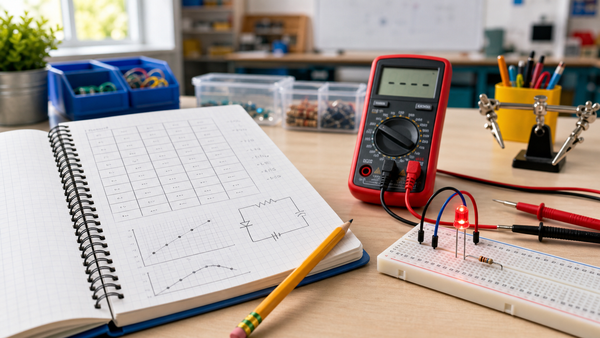
If students need stronger electronics foundations first, begin with a kit sequence that builds power, measurement, and logic thinking. Mr Circuit Lab 1 helps with basic circuit behavior, Lab 2 supports measurement and troubleshooting, and Lab 3 reinforces input/output logic. Those are the same habits students need when they eventually study drone control systems.
FAQ
Do students need to understand coding before learning drone electronics?
No. Students can learn the electronics side first by understanding power, outputs, sensors, and control decisions.
What is the easiest way to explain a drone sensor?
Tell students a sensor is the part that notices a physical change and turns it into information the system can use.
Should beginners start with flying or with bench lessons?
Bench lessons are the better starting point. Students understand drone behavior more clearly when they already know the electronics ideas underneath it.
Why talk about batteries so early?
Because the battery is not just a power source. It affects performance, safety, run time, and how students learn to respect electronic systems.
How does this connect to robotics?
Drones are a robotics case study. They combine sensors, control logic, and outputs in a way students can trace from input to action.
What internal Mr Circuit articles pair well with this topic?
Start with the site's sensor explainer, robot decision article, current/voltage/resistance posts, and the pre-robotics circuits guide.