
The best electronic components for beginners are the parts that make power, control, sensing, and output easy to see in a low-voltage circuit. A strong starter list includes a battery, breadboard, resistor, LED, switch, diode, capacitor, potentiometer, photocell, transistor, and integrated circuit because each part teaches one important circuit idea clearly.
Last updated: June 22, 2026.
Why a Small Core Parts List Works Better Than a Huge Kit
Beginners do not need every component at once. They need a sequence. A recent DigiKey beginner parts guide is a good reminder that starter learning tends to center on a repeatable set of parts: current-limiting parts, visible outputs, simple inputs, sensors, control devices, and a few integrated pieces.
That is useful for teachers because it keeps vocabulary connected to action. Students do better when each new part answers a clear question such as "What powers the circuit?", "What limits current?", or "What lets the circuit respond to light?"
The 11 Components Every Beginner Should Know
| Component | Main job | Best first lesson role |
|---|---|---|
| Battery | Supplies electrical energy | Power source and polarity |
| Breadboard | Provides temporary connection points | Safe first builds without soldering |
| Resistor | Limits current | Protecting an LED |
| LED | Turns electrical energy into light | Visible circuit output |
| Switch or button | Opens or closes the path | User control and input |
| Diode | Allows current mainly in one direction | Polarity and direction |
| Capacitor | Stores and releases charge | Timing and smoothing |
| Potentiometer | Adjusts resistance or output voltage | Knob control and variable input |
| Photocell | Changes resistance with light | Simple sensing |
| Transistor | Uses a small signal to control a larger one | Switching and control |
| Integrated circuit | Combines many tiny components in one package | Bridge to timers, logic, and computing |
1. Battery
The battery is the easiest place to begin because it answers the first big question: where does the energy come from? If students do not understand the power source, every later conversation about voltage or current becomes abstract. That is why battery lessons belong near the start of the sequence.
2. Breadboard
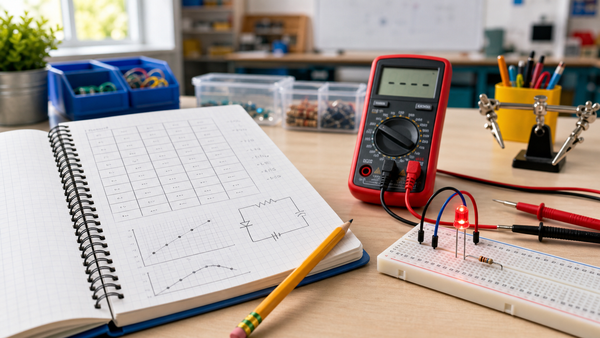
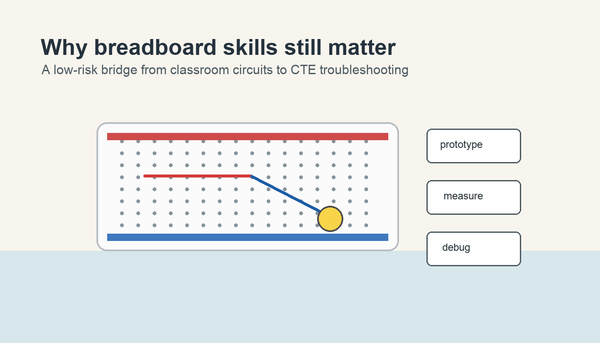
The breadboard is not flashy, but it is one of the most important beginner tools because it lets students build and revise circuits without soldering. It gives physical meaning to connection rows, rails, and shared nodes. That makes breadboard literacy a core skill, not an optional extra.
3. Resistor
Resistors teach control. They show students that electricity is not just "on" or "off." It can be limited and managed. A beginner usually meets the resistor while protecting an LED, which is still one of the best first examples of cause and effect in a simple circuit.
4. LED
The LED is the perfect early output because it gives instant visual feedback. Students can see polarity matter, see the effect of a resistor, and see whether the circuit path is complete. Even when the explanation is simple, the LED makes invisible ideas visible.
5. Switch or Button
A switch helps beginners understand control and input. The circuit is no longer just a fixed path. Now a person can open or close it. That turns an abstract loop into an interactive system and prepares students for later conversations about digital inputs and automation.
6. Diode
SparkFun's diode tutorial is useful here because it reinforces the key beginner idea: a diode is a direction-sensitive part. That makes it one of the clearest ways to teach polarity and to explain why some components cannot just be inserted either way.
7. Capacitor
SparkFun's capacitor guide frames capacitors around storage, timing, and filtering. For classroom purposes, the simplest message is enough at first: a capacitor stores and releases charge to help a circuit behave over time. It is a good bridge from instant outputs to circuits that delay, smooth, or stabilize.
8. Potentiometer
A potentiometer gives students a knob they can turn, which makes the idea of variable control easier to feel. They can watch brightness, measured voltage, or another response change while the circuit stays otherwise the same. That is a powerful beginner lesson because it connects movement, measurement, and circuit behavior in one part.
9. Photocell
The photocell is often the first sensor that feels intuitive. Bright light lowers or changes its resistance, darkness raises it, and the student can see a circuit respond. That makes it a great early step between simple manual control and sensor-based STEM learning.
10. Transistor
SparkFun's transistor tutorial emphasizes that a transistor can act as a switch or amplifier. For beginners, "electronic switch" is the better first phrasing. It helps students understand how a small input can control a larger action, which is exactly the idea behind many robotics and automation builds.
11. Integrated Circuit
An integrated circuit, or IC, is where students realize many parts can be packaged together to do a bigger job. That is an important bridge into timers, logic gates, displays, and computing. Students do not need semiconductor fabrication details. They just need the conceptual move from one-part-one-job to one-chip-many-jobs.
A Teaching Sequence That Actually Works
- Battery and polarity
- Breadboard and rails
- Resistor and LED together
- Switch for manual control
- Diode for direction and protection
- Potentiometer for variable input
- Photocell for sensing
- Transistor for control
- Capacitor for timing or smoothing
- Integrated circuit for digital expansion
This sequence works because it moves from visible, concrete parts toward more abstract control parts. It also lines up well with the circuit concepts students should know before robotics.
Common Confusion Points
- Students often confuse the breadboard with a power source.
- They treat the resistor like a random extra instead of a protection part.
- They assume all two-lead parts can go in either direction.
- They think sensors and switches are the same kind of input.
- They call every black chip a "computer" instead of an integrated circuit.
That is why each component should be tied to one plain-language job before deeper vocabulary is added.
Where This Fits in Mr Circuit's Classroom Path
The cleanest product-adjacent fit for this article is the Mr Circuit Lab 1 Basic Electronics STEM Kit, because it supports a gradual move from core components to real breadboard habits. If students later move into logic or digital reasoning, the Mr Circuit Lab 3 Digital Logic Gates STEM Kit becomes the next natural bridge.
For teachers planning a full implementation path, the For Schools and Educators page is the best internal planning link.
Sources and Further Reading
- DigiKey Maker.io: Beginner Parts Kit Identification Guide
- SparkFun Learn: Diodes
- SparkFun Learn: Transistors
- SparkFun Learn: Capacitors
FAQ
What electronic components should beginners learn first?
Beginners should start with parts that clearly show power, control, and output: battery, breadboard, resistor, LED, and switch first, then sensors and control parts.
Do students need all 11 parts in one lesson?
No. The list is a teaching sequence, not a same-day requirement.
Why are resistors and LEDs usually taught together?
Because the resistor protects the LED and shows students immediately why current control matters.
When should beginners learn transistors?
After they understand simple inputs, outputs, and sensors, because transistors introduce controlled switching.
Why include integrated circuits in a beginner list?
Because students eventually need a bridge from single-purpose parts to chips that combine many functions in one device.